

Have you ever traveled somewhere only to find out that you don’t have a wireless signal? It seems to happen often in remote areas, such as when you’re on a hike up in the mountains or traveling through areas that haven’t been built up. It’s frustrating, for sure, but rather expected. After all, there can’t be cell towers everywhere.
But what about in a building? Why do we sometimes lose our signal altogether, finding ourselves holding our phones outward and up in the air, trying to get a connection while we move from room to room? These situations are less expected, as we assume that buildings have the appropriate infrastructure to support a signal, no matter where you are.
Not exactly. Wireless signal loss indoors isn’t as uncommon as you might expect.
What Causes Wireless Signal Loss Indoors?
When you’re in a building, you just assume that your wireless signal will work. So when it doesn’t, it can be irritating, especially if you have an important call to make or need to send a quick email from your laptop.
And it begs a question. What’s really going on when your signal drops once you’re just a few feet inside a building? The answer can be equally frustrating, because what causes wireless signal loss really depends. What causes a drop in one building might not be the same as what’s causing the loss in another building.
One big factor at play is network congestion. If you have a lot of people trying to connect at the same time, such as in an office building, hospital, or apartment complex, all those devices compete for the same bandwidth. This can result in slow speeds and weak connections. And of course, it’s more than likely to happen during peak usage hours.
But that’s not the only culprit. You may be experiencing something called network attenuation. As wireless signals travel, they naturally lose strength over distance. The farther a device is from the signal source, the weaker that signal becomes. Even before we factor in walls or other obstacles, that gradual drop can already impact performance.
So, when you combine congestion and attenuation, you get the perfect little storm. But, while those might be big factors, they’re not the only contributors to wireless signal loss indoors.
How Building Materials Impact Signal Strength
The next time you are in a building and lose your wireless signal, take a look around you. What is the building made of? You may notice a lot of concrete and brick. In some buildings, especially newer ones, you may see a lot of metal and steel.
And yet in others, you may see just wood and drywall. All of these materials, along with the building’s window type, can help prevent that signal from coming through.
Let’s look at those materials in a bit more detail.
Concrete and Brick
Concrete and brick are among the biggest contributors to wireless signal loss indoors. These materials are dense, which means they absorb a large portion of the signal as it tries to pass through. By the time the signal reaches the other side, it may be significantly weaker or gone altogether. This is especially noticeable in buildings with multiple layers of concrete or thick masonry walls.
You’ll commonly find these materials in places like:
- Stairwells
- Parking garages
- Commercial and high-rise buildings
In these environments, signals often struggle to travel between areas, leading to dropped calls and inconsistent connectivity.
Metal and Steel
You’ll find metal building systems in nearly half or more of low-rise commercial and industrial buildings in the U.S., and there’s a good reason for that. These materials are built to last, go up quickly, and are typically pretty cost-effective.
But, metal and steel behave a bit differently from concrete and brick. Instead of absorbing signals, they tend to reflect them. This means signals bounce off surfaces rather than passing through, which can scatter coverage and create unpredictable dead zones.
These materials are often used in:
- Structural framing
- Roofing systems
- Industrial facilities
In buildings with a lot of metal, signals may never reach certain areas, even if you are relatively close to the source. The result can be spotty coverage that changes depending on where you stand.
Drywall and Wood
Drywall and wood have a lighter impact on wireless signals compared to denser materials, but they still contribute to gradual signal loss. Each wall a signal passes through reduces its strength just a bit, and those small reductions can add up quickly.
These materials are common in:
- Residential homes
- Interior office walls
- Light commercial spaces
While a single wall may not cause much disruption, multiple walls between you and the signal source can lead to weaker connections, slower speeds, and inconsistent performance throughout a building.
Glass and Low-E Windows
It’s easy to assume that the glass in windows should simply make it easier to get a wireless connection. But that’s not always the case, especially with modern window technology.
Many newer buildings use Low-E (low-emissivity) coatings to improve energy efficiency. While helpful for temperature control, these coatings can also weaken wireless signals.
You’ll often see this in:
- Office buildings with large window panels
- Modern residential developments
- Buildings focused on energy efficiency
Because glass is not typically viewed as a barrier, it is often overlooked as a source of indoor wireless signal loss. But it absolutely does play a role of its own.
Understanding Reflection and Absorption
We’ve thrown a lot at you, discussing network congestion and attenuation, as well as how different materials can get in the way of a wireless signal. But to use the words of Ron Popeil, “but wait, there’s more.” And that means it’s time to participate in a little science lesson with us.
At the most basic level, wireless signals react to their surroundings in two primary ways:
Reflection
When a signal encounters certain surfaces, it doesn’t pass through but instead changes direction.
- Signals bounce off surfaces like metal, glass, or concrete
- Those signals scatter in different directions instead of staying on a direct path
- This can create uneven coverage, where one spot has a strong signal and another nearby has almost none
Absorption
In other cases, materials don’t redirect the signal. They weaken it as it travels through.
- Materials like concrete, brick, and even furniture soak up signal energy
- The signal loses strength as it passes through these materials
- The more obstacles it encounters, the weaker it becomes
Together, these behaviors can lead to dropped calls, buffering videos, and slow data speeds. And, this is especially common in places where signals struggle to travel cleanly from one point to another.
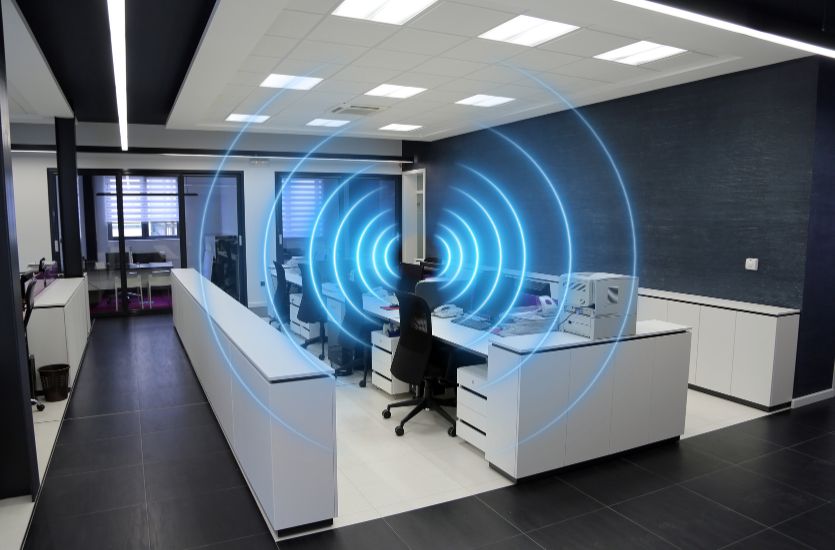
Why Dead Zones Happen Inside Buildings
Now, let’s talk a little about dead zones. You’ve surely experienced one of these situations. You know how it goes. You’re walking down a long hallway or corridor, chatting away with someone on the other end of the line, only to find that they didn’t answer the last question you asked. You find yourself saying, “Hello, can you hear me?” And a few seconds later, “Can you hear me now?”
How can it be that your signal was just fine one moment and gone altogether the next? Chances are that you have entered a dead zone. But what made it happen?
In most cases, it comes down to a combination of building materials, layout, and distance from the signal source. As you move farther away, the signal weakens. When you add in thick walls or structural barriers, it can drop off quickly. Areas like elevators, basements, and interior rooms are common trouble spots. These spaces often sit farther from access points and are surrounded by materials that block or weaken signals. The result? You guessed it. Indoor wireless signal loss.
Solutions for Improving Indoor Coverage
No matter what type of business you are in, whether it be manufacturing, construction, warehousing, or simply trying to manage an office building, you want the people inside to be able to communicate and connect with each other when needed. So, if you are experiencing signal loss, it’s good to know that there are solutions available to help.
Rather than relying on a single signal source and hoping it reaches every corner of a building, many businesses turn to systems designed to extend and support coverage where it’s needed most. Two of the most common approaches are Distributed Antenna Systems (DAS) and Bi-Directional Amplifiers (BDA).
Distributed Antenna Systems (DAS)
A Distributed Antenna System, or DAS, works by taking a signal from a central source and spreading it throughout a building using a network of smaller antennas. Instead of relying on one access point, DAS creates multiple connection points, helping signals reach areas that would otherwise be difficult to cover.
This approach is especially useful in larger environments where distance and layout create challenges. Here’s where you are most likely to see a DAS in use:
- Large office buildings
- Hospitals and campuses
- Warehouses and manufacturing facilities
DAS helps to distribute signals more evenly. In turn, this reduces dead zones and supports more consistent connectivity across high-traffic spaces.
Bi-Directional Amplifiers (BDA)
Bi-Directional Amplifiers, or BDAs, take a slightly different approach. Instead of redistributing a signal, they capture an existing one from outside, strengthen it, and then rebroadcast it inside the building. This allows signals to travel farther into areas where they might otherwise fade.
BDAs are commonly used in situations where communication is tied to safety and compliance. For example:
- Public safety radio systems
- Emergency responder communication
- Buildings required to meet local code requirements
BDAs can amplify signals in both directions. This means better communication between indoor users and external networks, even in areas where coverage is typically limited.
Planning for Better Indoor Connectivity
So, what do you need to do to get started? Improving indoor coverage begins with taking a closer look at how your building is designed and used. Layout, materials, and daily traffic all play a role in how signals move from one area to another.
That’s why many businesses begin with a site survey or signal test to identify weak spots and understand where coverage falls short. From there, the right mix of solutions can be recommended based on your specific environment. With a clear plan in place, it becomes much easier to support consistent communication throughout the entire space.
EMCI Wireless Helps Solve Indoor Coverage Challenges Across Florida
If your Florida-based business has connectivity issues and you need help, you’ve come to the right place. At EMCI Wireless, we’re in the business of helping businesses communicate more clearly and more effectively. And if you’re dealing with wireless signal loss indoors, it’s time to make a change.
Contact us today for a free consultation. Together, we’ll discuss the situation and determine the best course of action, whether that includes a site survey, an overhaul of your equipment, or somewhere in between. Let us help you resolve those network issues today.
Frequently Asked Questions
What is the main cause of wireless signal loss indoors?
In most cases, if you are experiencing wireless signal loss indoors, it’s due to building materials and how signals react to them. Surfaces that are denser absorb signals. Other surfaces may reflect them, which can weaken or redirect coverage as it moves through the building.
How do I know if my building needs a DAS or BDA system?
The biggest indicators that your building can benefit from a DAS or BDA system include the following:
- Frequent dropped calls
- Slow data speeds
- Pockets of space with little to no coverage (referred to as dead zones)
In some cases, your building may need a BDA system to comply with public safety codes and ensure reliable emergency communication.
Can wireless signal issues be fixed without major construction?
In many cases, you can improve your wireless signal issues without major construction or renovation. These will likely include the installation of a DAS or BDA system, which is designed to work with your existing structure. The result is better coverage without the cost of major renovations.