

Digital radios do far more than simple push and talk. They support call options that shape who hears a message and how fast it moves. Two of the most discussed are private call and all call. These features often sound similar, but they behave very differently.
This article discusses private call vs all call radios in plain terms. You’ll see what each two-way radio call type does, how they differ, and when each one fits the moment. We’ll also touch on why radio system design and available capacity always factor into how these features should be used.
What Is Private Call?
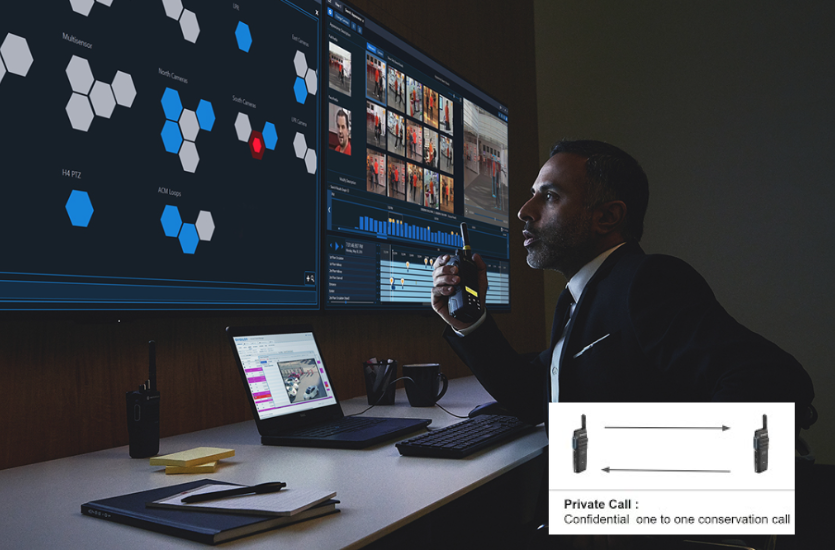
A private call is one-to-one or one-to-few communication. One user calls another specific user instead of a full group. The experience feels similar to a phone call. Only the selected person hears it. On digital radios, this connection happens using a unique DMR ID assigned to each radio.
Private calls work by targeting an individual contact on a channel. When the call starts, the system sets aside a path so those radios can talk back and forth. That path stays in use for the length of the conversation. Even though only a few people are talking, the system still treats it like an active channel session.
Think of a talkpath like a lane on a road. A repeater provides a limited number of lanes. When a private call uses one, that lane is no longer available to others. This is why private call vs all call radios behave very differently during busy periods. A short private conversation can still occupy system resources the entire time it is active.
Why Private Call Is Often Disabled by Default
At first glance, private call seems harmless. Only two people are talking, so it feels like a small load on the system. In practice, it can create larger issues if left unrestricted.
- Private calls can tie up repeaters faster than many users expect
- Each private conversation uses a full talkpath, even with just one or two radios
- Other users may be blocked from transmitting while private calls stay active
- During peak activity, a few private calls can crowd out group traffic
- System managers often limit or disable the private call function to protect the overall system flow
Common Situations Where Private Call Makes Sense
Private call is not a bad feature. It just works best when used with intention and restraint. In the right setting, it can support quick communication without pulling in an entire group.
- Short, task-based coordination between two people
- Brief supervisor-to-employee check-ins that do not involve a full team
- Low-traffic systems where available capacity is rarely pushed
All in all, when used carefully, private call can be helpful. Used too often, it can strain the system.
What Is All Call?
An all call allows one user to reach everyone on the system at once. The message goes out system-wide, regardless of talkgroup or channel. Every radio hears it. This makes all call very different from one-to-one or group communication.
All call does not behave like a standard group call. Group calls only reach users assigned to that group. All call overrides those boundaries. On most digital systems, it is treated as a high-priority transmission. When an all call is active, other traffic may pause so the message gets through without delay.
Why All Call Is Widely Used
All call is built for speed and reach. It removes extra steps when time matters and clarity is needed.
- Messages are delivered quickly to all users
- No need to change channels or switch groups
- Designed for time-sensitive communication where delays are risky
Because of this, all call is often reserved for specific roles or situations.
Typical All Call Use Cases
All call is most common when everyone needs the same information at the same time.
- Evacuations
- Mass alerts
- Weather warnings
- Facility-wide instructions
In these moments, all call provides a direct way to reach every radio without confusion.
Private Call vs All-Call Radios: Side-by-Side Comparison
Private call and all call solve very different problems. One is built for limited conversations. The other is built for reaching everyone at once. The table below highlights how they compare without repeating earlier details.
| Comparison Point | Private Call | All Call |
| Who hears the message | Only the selected individual or small set of users | Every radio on the system |
| System resource use | Uses a full talkpath for the length of the call | Uses a priority path to broadcast one message |
| Impact during busy periods | Can block other users if multiple private calls run at once | Temporarily pauses other traffic so the message gets through |
| Risk if overused | Repeater congestion and delayed access for others | Message fatigue or confusion if used too often |
This comparison is why private call vs all call radios must be planned carefully. Each feature works best when matched to the situation, the system size, and daily traffic levels.
Choosing the Right Call Type by Industry
How private call vs all call radios are used often depends on the environment. Public safety agencies, industrial sites, utilities, and campuses all face different communication demands. Call volume, urgency, and system load shape which features are allowed and how often they are used.
Public Safety and Emergency Response
In public safety and emergency response, all call is widely used for evacuations, alerts, and urgent instructions. It allows one message to reach every radio at once. Private call is usually limited on shared public safety systems because it can consume talkpaths needed for coordinated response during high-traffic events.
Manufacturing and Warehousing
In manufacturing and warehousing environments, all call supports shift changes, safety notices, and facility-wide updates. These messages need broad reach with minimal delay. Private call can create issues during production hours, where blocked channels may slow workflows or delay response to on-floor concerns.
Utilities and Field Services
For utilities and field service operations, communication often centers around dispatch. Group and all call handle updates that affect multiple crews in the field. One-to-one calls may be approved for brief coordination when system traffic is light and capacity allows.
Schools, Campuses, and Healthcare
Across schools, campuses, and healthcare facilities, all call is commonly reserved for lockdowns, announcements, or emergency instructions. Private call is tightly controlled to prevent system congestion during situations where staff need immediate access to shared channels.
System Capacity and Why It Matters More Than Most Users Expect
Every radio system has limits, even when it feels quiet most of the time. System capacity refers to how many conversations can happen at once. When those limits are reached, new calls must wait. This can surprise users who assume fewer people talking always means plenty of room.
Private calls use the same talkpaths as group traffic. Each private conversation takes a full path for its entire duration. When several private calls happen at once, available paths disappear quickly. Even a small number of users can reduce access for everyone else.
This is why system behavior can change fast during busy periods. A handful of private conversations can affect dozens of radios trying to talk at the same time. Planning matters before features are enabled. System managers need to balance convenience with day-to-day traffic and peak usage so communication stays available when it is needed most.
Best Practices for Using All Call and Private Call
Both call types can be useful when applied thoughtfully. Problems usually come from overuse or unclear expectations. A few simple practices help teams use these features without creating avoidable system strain.
- Match the call type to the message being sent
- Reserve all call for messages everyone truly needs to hear
- Limit private call permissions to specific roles or users
- Keep private conversations short and task-focused
- Train users on when not to use private call
- Review system usage patterns and adjust settings as needs change
Clear guidelines help users communicate without blocking others who may need access at the same time.
Picking the Right Call Type for the Moment
Choosing between private call and all call is not about turning features on or off at random. It starts with understanding how your team works and how your radio system is built. EMCI Wireless helps organizations make those decisions through thoughtful system design and careful programming that reflects daily use, peak traffic, and safety needs.
Balancing usability with system health matters. A feature that feels convenient for one user can limit access for many others if it is not planned correctly. That is why EMCI Wireless looks at call volume, user roles, and system capacity before recommending feature settings. The goal is reliable communication that holds up during busy moments, not just quiet ones.
Support does not stop after setup. As teams grow and workflows change, call feature settings may need adjustments. EMCI Wireless provides ongoing guidance and training so systems continue to match real conditions. With experience across digital radio platforms, including Motorola Solutions systems, the team helps customers make informed choices.
If you are operating in Florida and unsure how your current setup is configured, now is a good time to review it. Contact EMCI Wireless to talk through system configuration, usage policies, and training that fit how your team communicates today.